Automated Gmail Attachment Filing
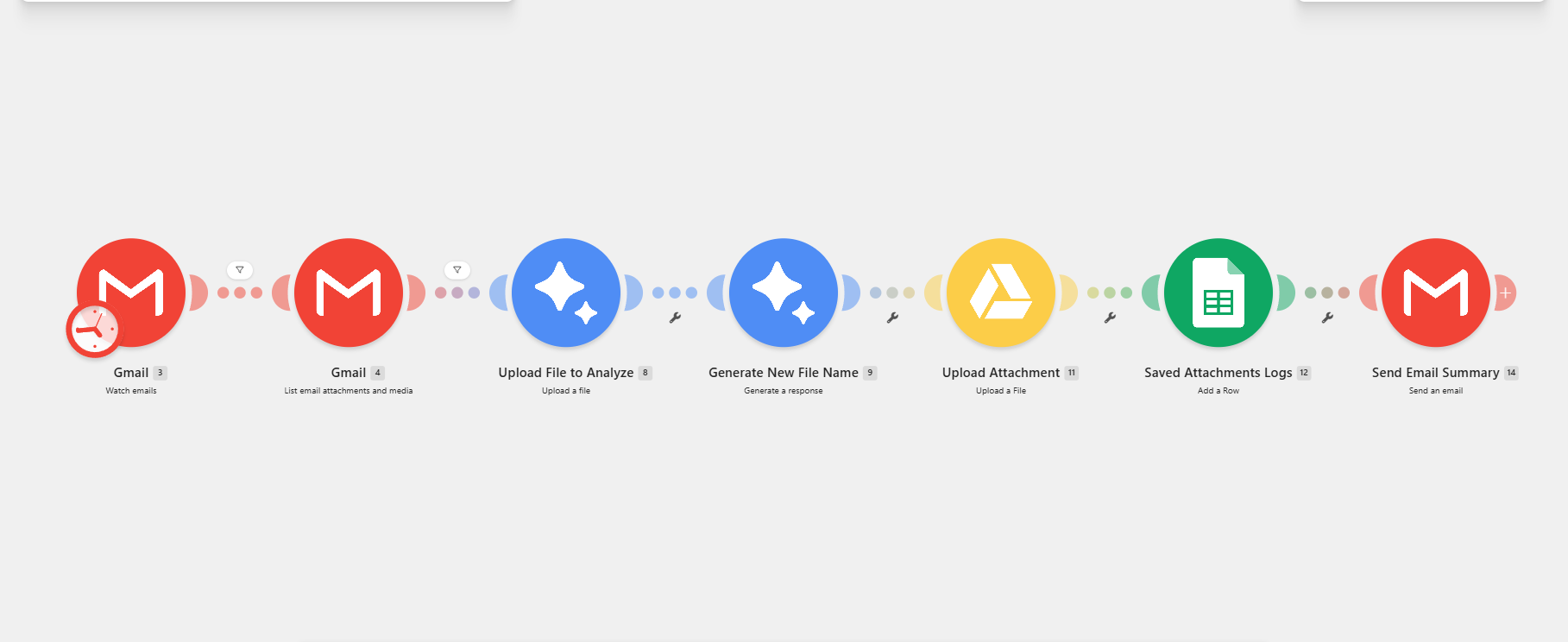
A Make scenario that monitors Gmail attachments, analyzes each file, generates a clearer AI-assisted filename, uploads the organized attachment to Google Drive, logs the result in Google Sheets, and emails a processing summary.
Business problem
Teams receiving documents through Gmail can lose time opening attachments, deciding where they belong, assigning consistent filenames, uploading them, and recording what was processed.
What I built
The Make scenario receives Gmail attachments, passes the file through analysis and filename-generation steps, uploads the renamed attachment to Google Drive, writes an attachment log to Google Sheets, and sends a Gmail summary.
How I built the workflow
Receive attachment
The scenario monitors Gmail for an attachment that matches the configured conditions.
Analyze file
The attachment is prepared and analyzed before filing.
Generate filename
AI creates a clearer, standardized filename for the document.
Upload and log
Google Drive stores the attachment and Google Sheets records the processing result.
Send summary
Gmail sends a final processing summary.
Tools and integrations
Key features
- Gmail attachment trigger
- File analysis
- AI filename generation
- Google Drive upload
- Google Sheets logging
- Email summary
Intended impact
- Incoming attachments follow one repeatable filing process.
- AI-assisted filenames improve file clarity and searchability.
- Google Sheets provides a processing log and Gmail confirms the result.
Project results
The full attachment-processing path is built in Make.
Gmail, Drive, and Sheets work together in one scenario.
Processed attachments are recorded in a Google Sheets log.
Challenges and resolutions
Creating consistent filenames from varied attachments
Analyze the file first, then use an AI-assisted naming step before upload.
Future improvements
Related projects
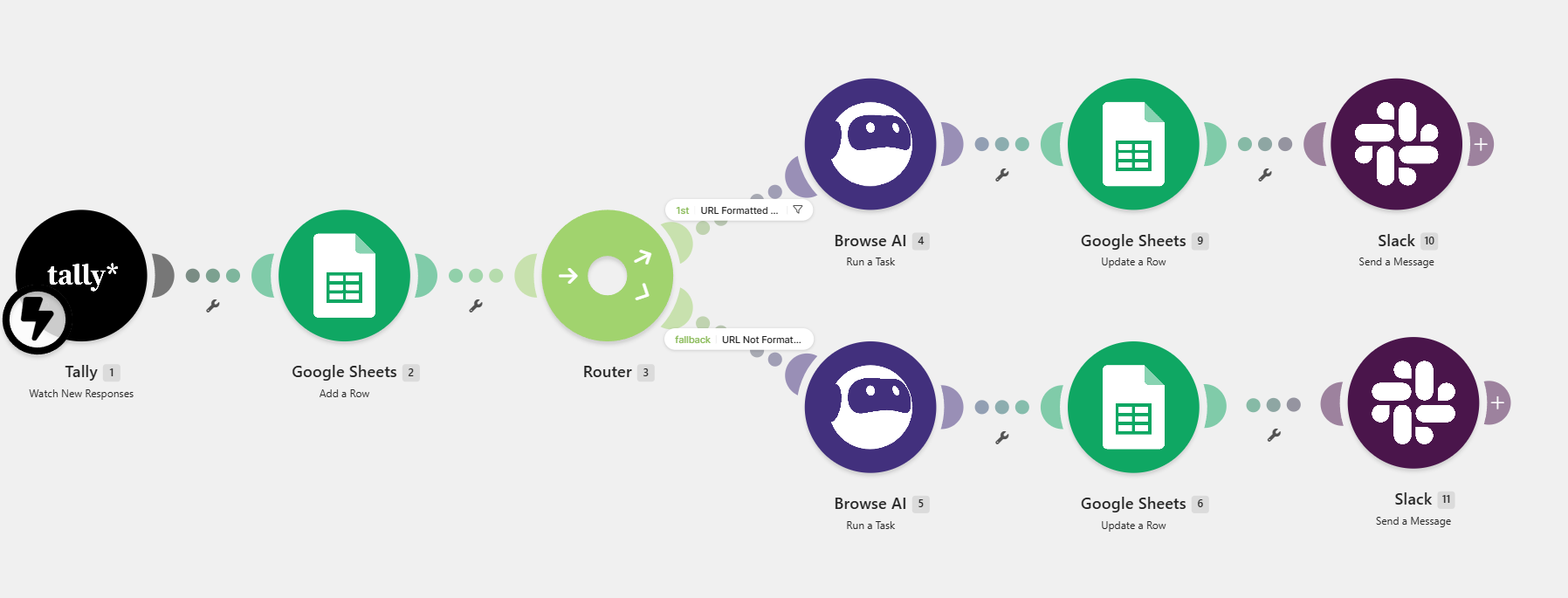
Client Intake and Consultation Scheduling System
Manual lead research, appointment coordination, and internal communication delayed responses.
Outcome: Lead records are centralized for visibility.
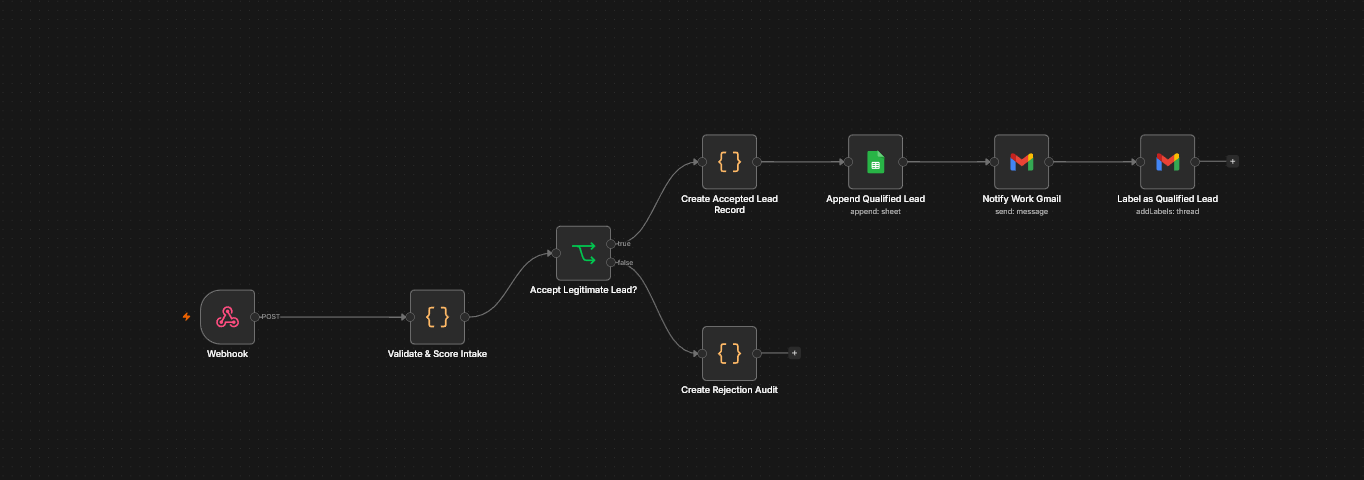
Secure RTO Client Qualification and Lead Routing
A public portfolio form needs to welcome serious prospects without exposing private lead data or becoming an easy target for spam.
Outcome: Qualified opportunities reach one organized follow-up queue.
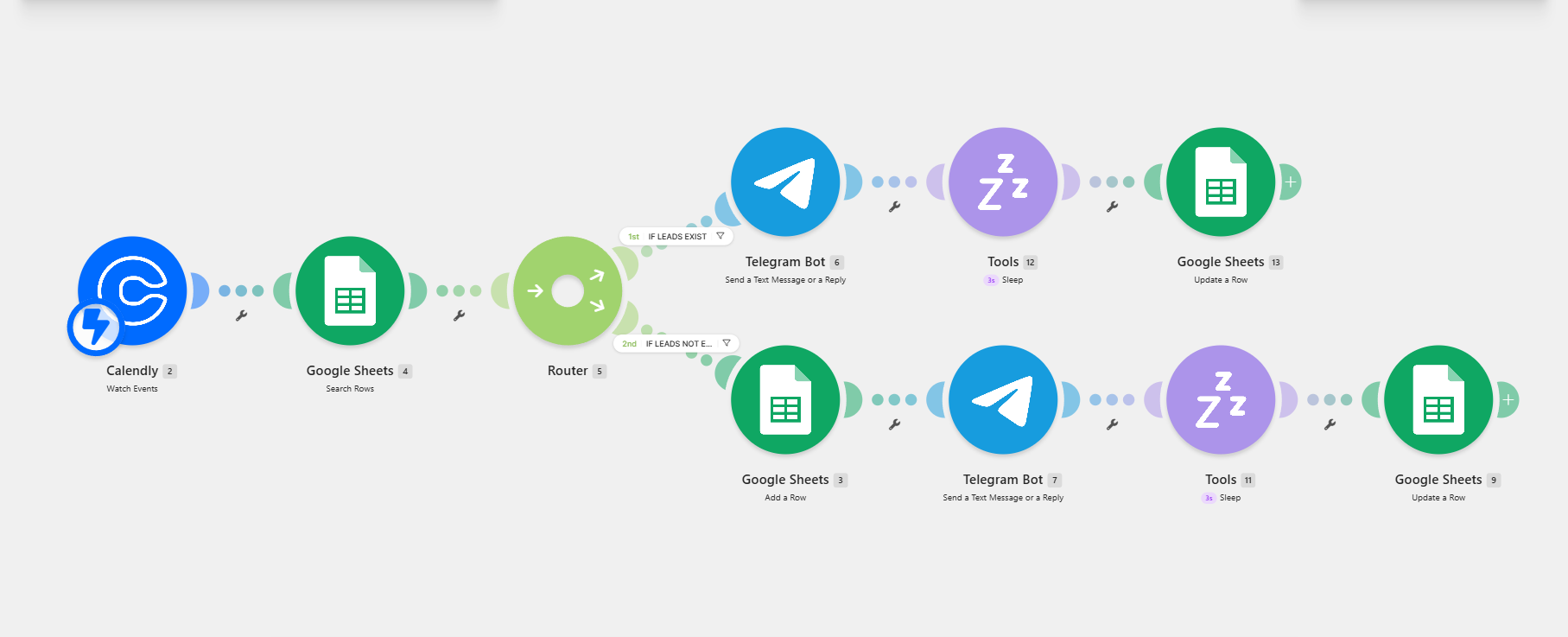
Discovery Call Appointment and Lead Routing
New bookings and returning leads need different follow-up actions, but manual checking slows down response time.
Outcome: Discovery-call bookings are routed automatically.
Need a reliable document automation system?
Share the bottleneck, tools, and desired outcome. I’ll help map the right workflow and a practical implementation path.