Client Intake and Consultation Scheduling System
An automated lead-intake and consultation-scheduling system connecting Tally Forms, Browse AI, Google Sheets, Google Calendar, Gmail, Slack, and AI-assisted workflows.
Business problem
Incoming leads required repeated manual research, scheduling checks, internal notifications, and confirmation messages before the team could move forward.
What I built
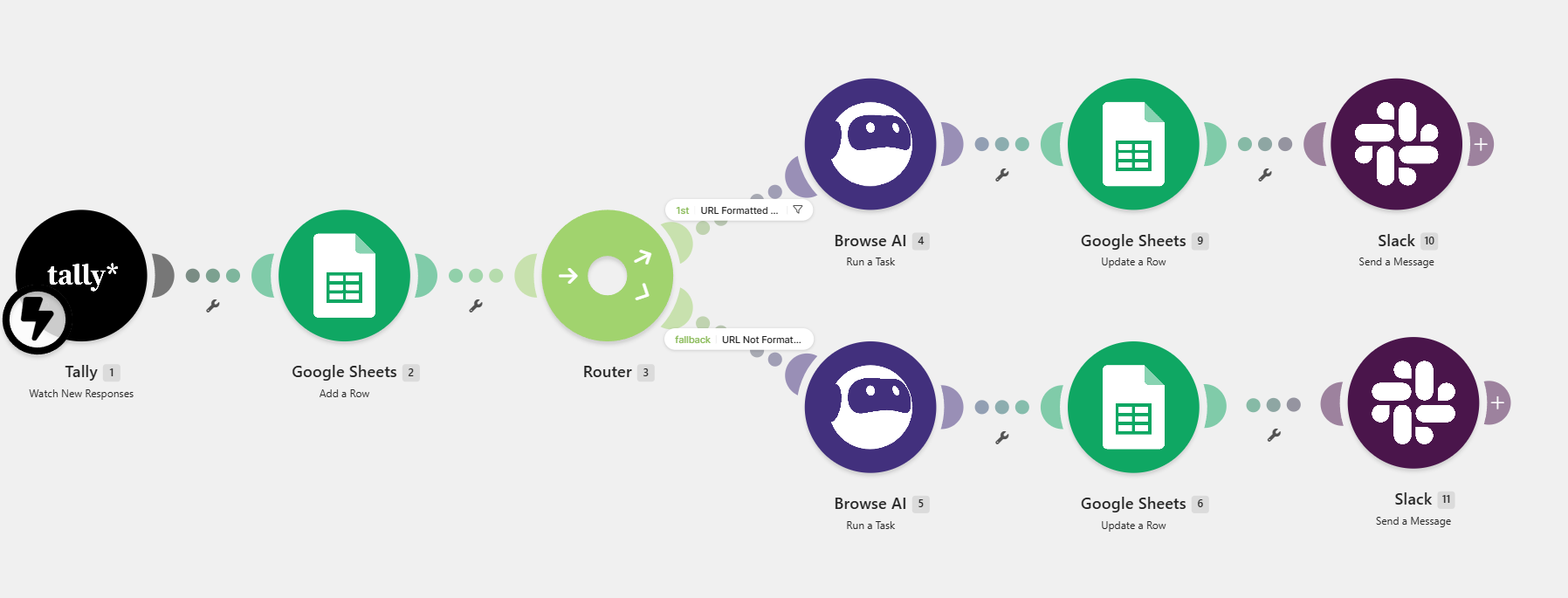
The workflow captures client details, performs website enrichment, stores records, summarizes client information, checks calendar availability, creates appointments, sends confirmation emails, and alerts the team.
How I built the workflow
Capture lead
Tally collects project and contact details.
Enrich record
Browse AI gathers website context when available.
Store and summarize
Lead data is saved and summarized for review.
Schedule consultation
Calendar availability is checked and a meeting is created.
Notify stakeholders
Email confirmations and Slack alerts are sent.
Tools and integrations
Key features
- Lead capture
- Website enrichment
- Google Sheets records
- AI summary
- Calendar scheduling
- Confirmation emails
- Slack alerts
Intended impact
- Lead records are centralized for visibility.
- Appointment coordination is streamlined.
- Internal notifications keep the team informed.
Project results
The process reduces manual coordination steps.
Client details are stored in a shared tracking system.
Related projects
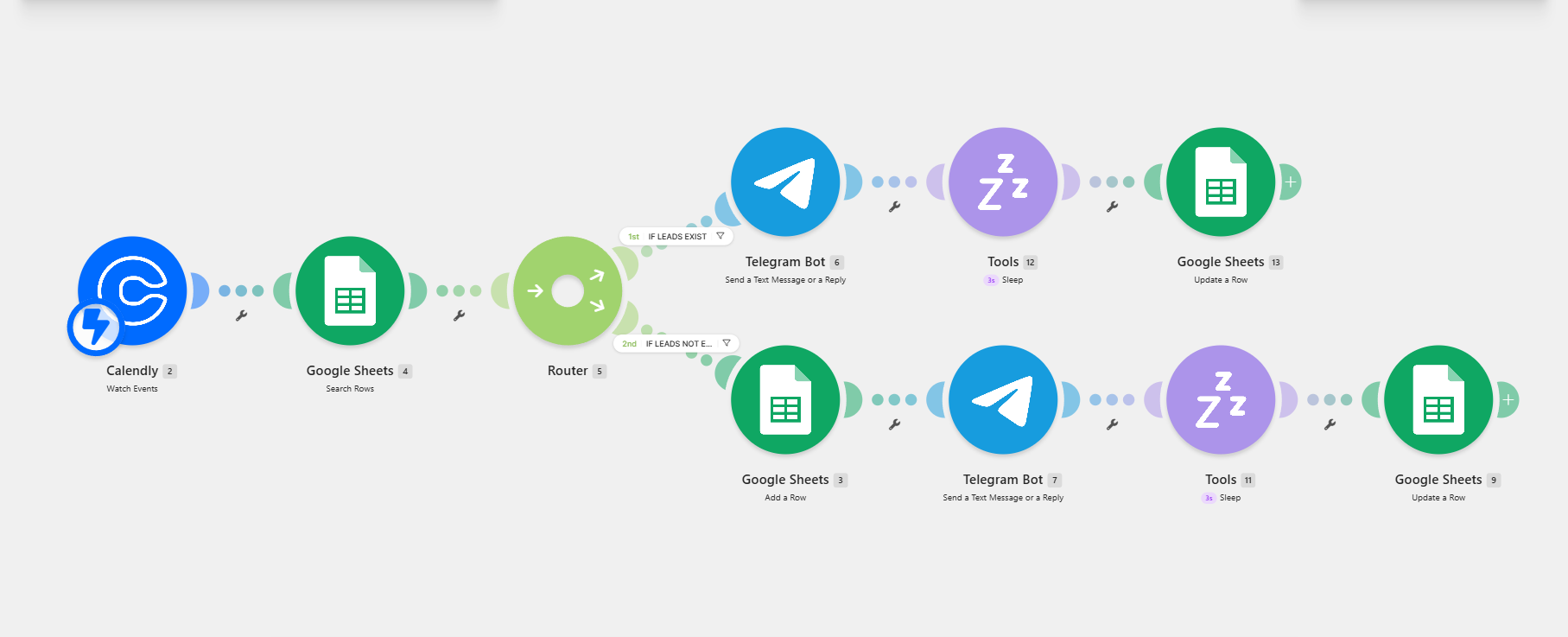
Discovery Call Appointment and Lead Routing
New bookings and returning leads need different follow-up actions, but manual checking slows down response time.
Outcome: Discovery-call bookings are routed automatically.

Computer Repair Ticketing and Operations System
Repair requests needed centralized tracking, stage updates, and consistent customer communication.
Outcome: Repair requests are easier to track.
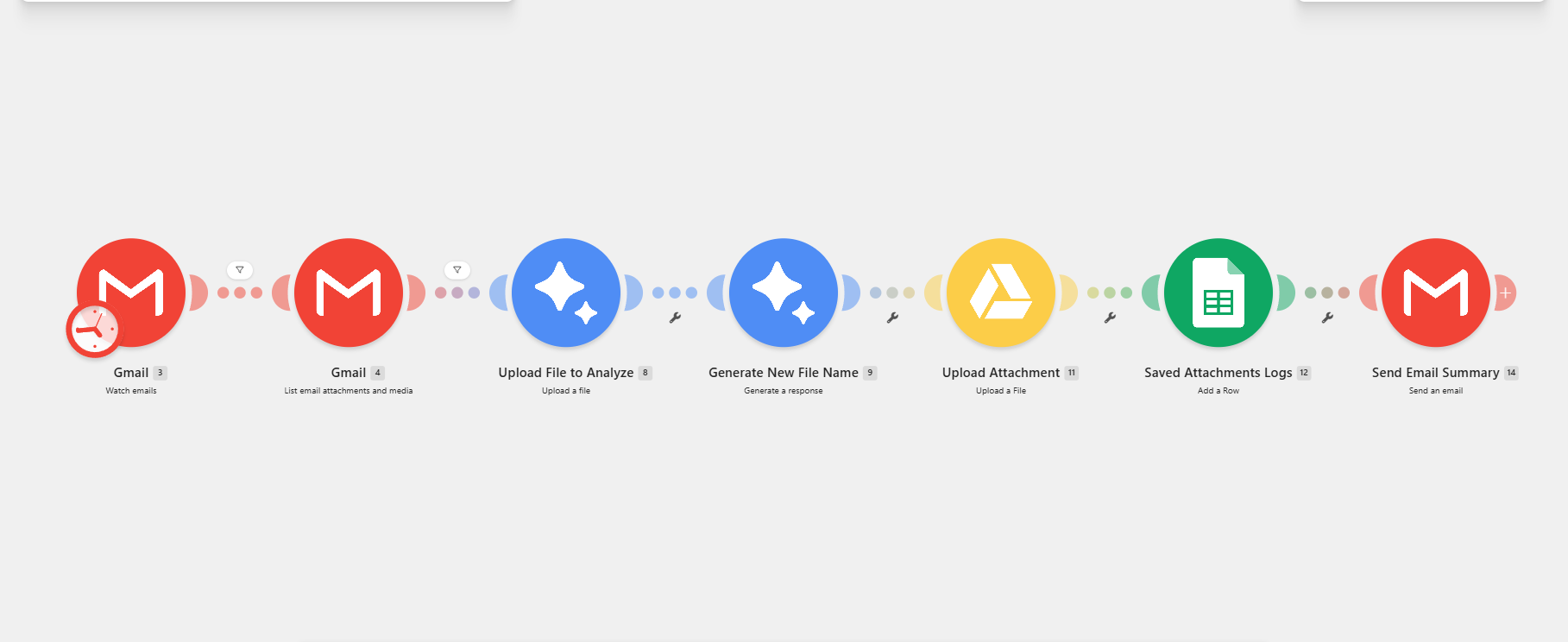
Automated Gmail Attachment Filing
Email attachments quickly become difficult to find when files are downloaded, renamed, organized, and logged manually.
Outcome: Incoming attachments follow one repeatable filing process.
Need a reliable lead and scheduling automation system?
Share the bottleneck, tools, and desired outcome. I’ll help map the right workflow and a practical implementation path.